rss-reader
|
|
||
|---|---|---|
| static | ||
| config.json | ||
| demo.png | ||
| docker-compose.yml | ||
| Dockerfile | ||
| feed.go | ||
| go.mod | ||
| go.sum | ||
| index.html | ||
| LICENSE | ||
| main.go | ||
| README.md | ||


简述
RSS将信息聚合,曾寻找过一些RSS客户端,但觉得都太过于复杂,会需要登陆、保存历史消息、 使用缓存加快响应速度,但我想要看到的是,打开页面看到关注网站的即时消息即可(一般通过RSS订阅获取到的数据即是热点), 看到有感兴趣的信息,可以跳转过去再详细的了解。
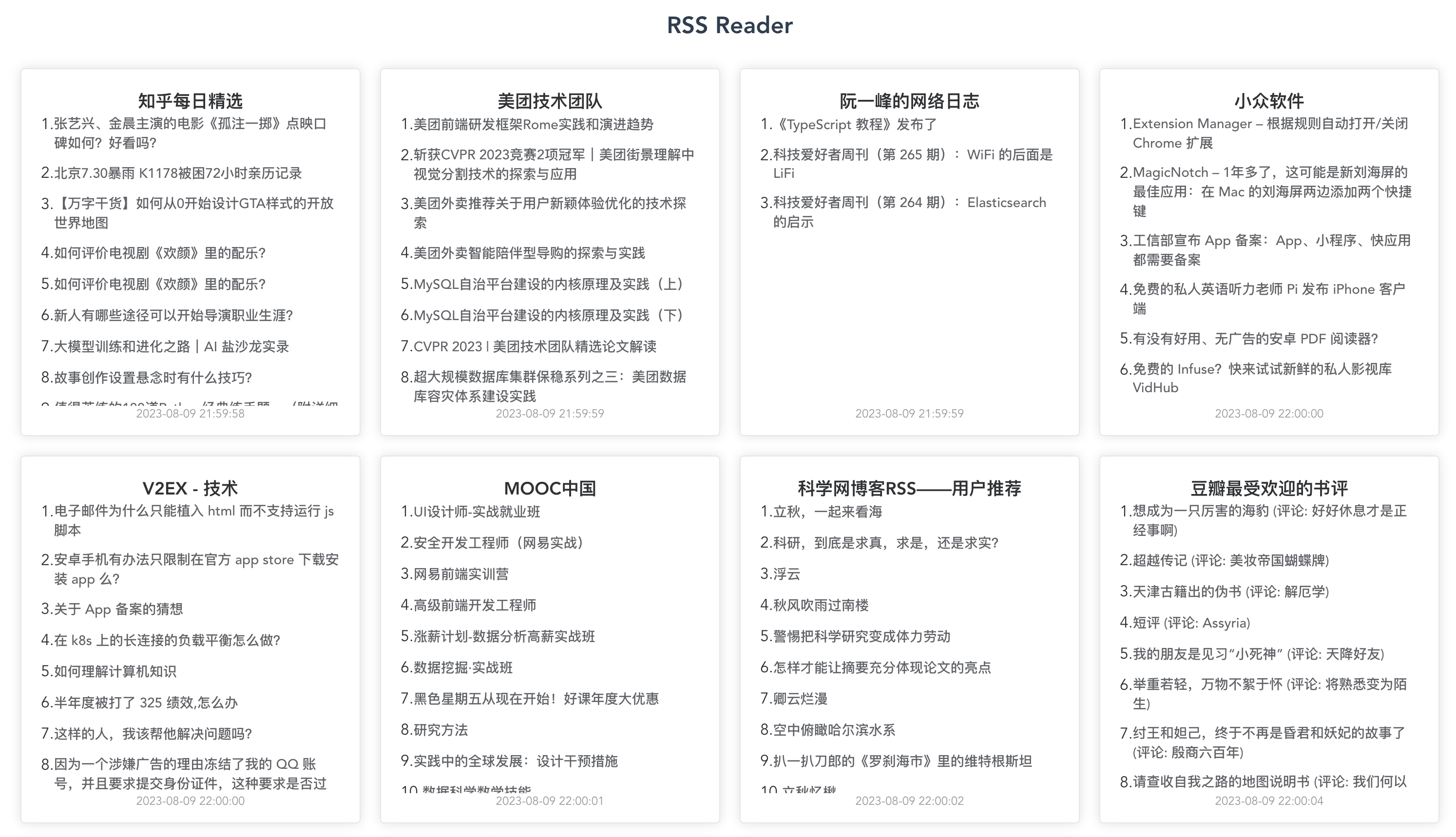
2023年7月28日,进行了界面改版和升级
配置文件
配置文件位于config.json,sources是RSS订阅链接,示例如下
{
    "values": [
        "https://www.zhihu.com/rss",
        "https://tech.meituan.com/feed/",
        "http://www.ruanyifeng.com/blog/atom.xml",
        "https://feeds.appinn.com/appinns/",
        "https://v2ex.com/feed/tab/tech.xml",
        "https://www.cmooc.com/feed",
        "http://www.sciencenet.cn/xml/blog.aspx?di=30",
        "https://www.douban.com/feed/review/book",
        "https://www.douban.com/feed/review/movie",
        "https://www.geekpark.net/rss",
        "https://hostloc.com/forum.php?mod=rss&fid=45&auth=389ec3vtQanmEuRoghE%2FpZPWnYCPmvwWgSa7RsfjbQ%2BJpA%2F6y6eHAx%2FKqtmPOg"
    ],
    "refresh": 6,
    "autoUpdatePush": 7
}
| 名称 | 说明 |
|---|---|
| values | rss订阅链接(必填) |
| refresh | rss订阅更新时间间隔,单位分钟(必填) |
| autoUpdatePush | 自动刷新间隔,默认为0,不开启。效果为前端每autoUpdatePush分钟自动更新页面信息,单位分钟(非必填) |
使用方式
Docker部署
环境要求:Git、Docker、Docker-Compose
克隆项目
git clone https://github.com/srcrs/rss-reader
进入rss-reader文件夹,运行项目
docker-compose up -d
国内服务器将Dockerfile中取消下面注释使用 go mod 镜像
#RUN go env -w GO111MODULE=on && \
#    go env -w GOPROXY=https://goproxy.cn,direct
部署成功后,通过ip+端口号访问
nginx反代
这里需要注意/ws,若不设置proxy_read_timeout参数,则默认1分钟断开。
server {
    listen 443 ssl;
    server_name rss.lass.cc;
    ssl_certificate  fullchain.cer;
    ssl_certificate_key lass.cc.key;
    location / {
        proxy_pass  http://localhost:8080;
    }
    location /ws {
        proxy_pass http://localhost:8080/ws;
        proxy_http_version 1.1;
        proxy_set_header Upgrade $http_upgrade;
        proxy_set_header Connection "Upgrade";
        proxy_set_header Host $host;
        proxy_read_timeout 300s;
    }
}

server {
    listen 80;
    server_name rss.lass.cc;
    rewrite ^(.*)$ https://$host$1 permanent;
}